How many security sensors does your home need?
Most starter kits are sold in fixed bundles of 8, 10 or 20 pieces, which rarely matches what a specific home needs. This calculator works the other way around: enter your doors and windows and get a brand-agnostic starting count for entry, motion and glass-break sensors, before you look at any specific system.
4 min read
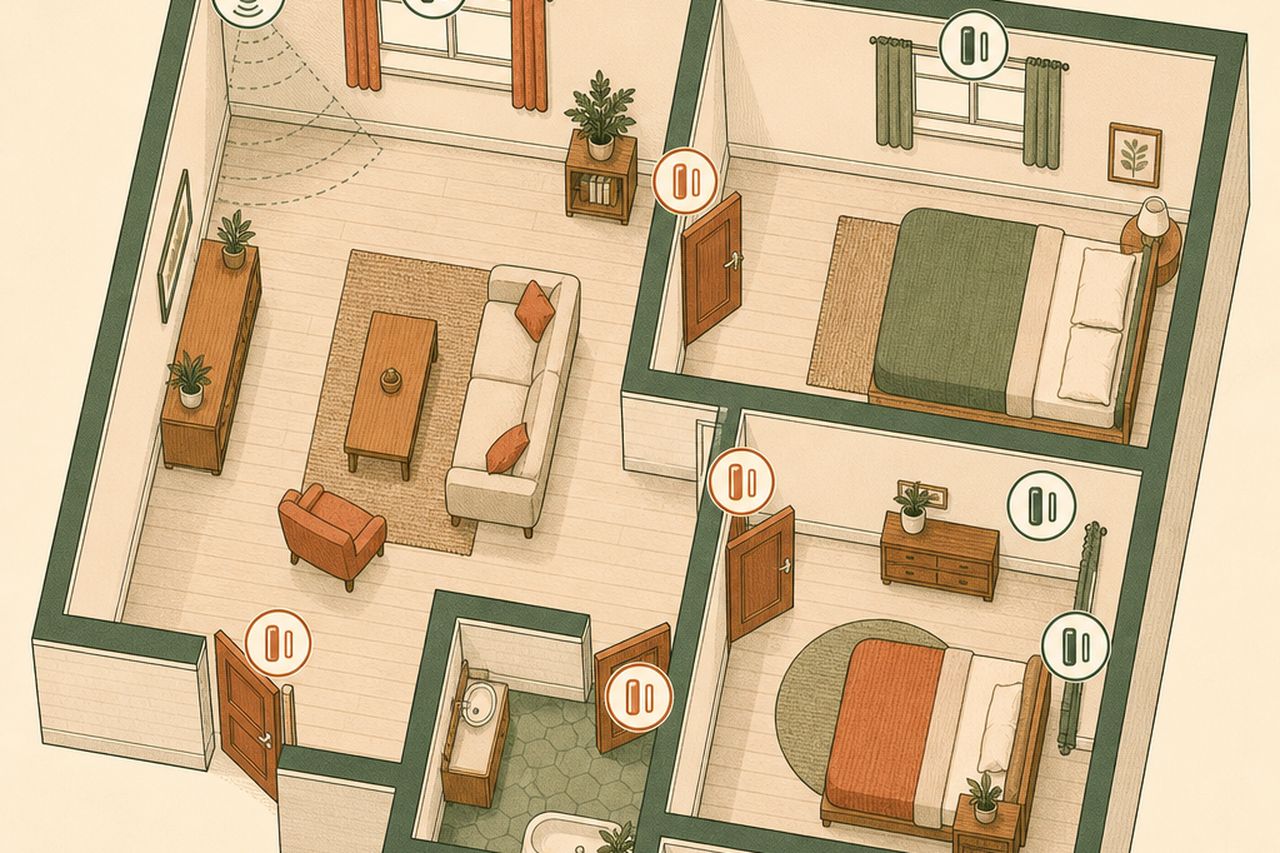
How many sensors do I actually need?
A brand-agnostic starting point for entry, motion and glass-break sensor counts, not a recommendation for any specific system.
Why sensor counts don't scale evenly with kit size
A pre-packaged "10-piece kit" is a marketing unit, not a measurement of your home. A small ranch-style house with two doors and four windows and a larger two-story home with the same ground-floor footprint but more rooms can need meaningfully different sensor counts. A fixed bundle either leaves gaps or sells you sensors you don't need. Once you have a rough count from a tool like this one, the full system comparison can help you see which providers sell closer to that exact count instead of forcing you into the next bundle size up.
Where the first sensors should go
Ground-floor doors and windows are the entry points worth covering first — they're both the most common way someone gets in and the easiest to miss once a system gets trimmed down to fit a budget. A sliding glass door or a basement walkout window is easy to overlook in that prioritization, since it doesn't read as a "door" the way a front door does, but it opens just as easily.
Motion sensors are usually placed to cover a room's main walkthrough path instead of every corner, often in a stairwell or hallway that anyone moving through the home has to pass. Pet-immune models exist specifically so a household with a dog or cat under a certain weight doesn't trigger false alarms every time the pet walks past. Glass-break sensors are typically mounted on a wall or ceiling with a clear line toward the windows in that room, since they listen for sound and don't need to be mounted on the window itself, which means one sensor can often cover several windows in the same room instead of needing one per window. Once placement is settled, the full system comparison can show which providers include glass-break coverage standard versus as an add-on, since that varies more between providers than door and window sensors do.
Wired vs. wireless, and why most new installs are wireless
Older security systems ran sensors on physical wiring back to a central panel, which meant real installation work: drilling, fishing cable through walls, and usually a professional crew. Most current sensors communicate wirelessly instead, over the same kind of radio protocols used by smart-home devices generally, which is why most DIY systems can be self-installed with adhesive mounts and no drilling at all. The tradeoff is battery life: a wireless sensor needs a battery change every year or two, where a wired sensor never needed one at all.
Wireless range is rarely an issue in a typical single-family home, but a larger house, one with metal siding, or one with a detached structure like a garage can occasionally see a sensor struggle to maintain a reliable connection to the main panel. If that's a realistic concern for your layout, it's worth checking a specific system's documented range and whether it supports a signal repeater before committing to a sensor count.
Entry sensors aren't all the same
A standard entry sensor is a two-piece magnetic contact (one piece on the door or window frame, one on the moving part) that triggers when the two pieces separate beyond a set distance. A few systems also offer a tilt sensor for garage doors specifically, which detects the door lifting rather than a magnetic gap opening, since a garage door doesn't have a fixed frame-to-door gap the way a standard door does. If your home has an attached garage with an interior door into the house, that garage door is worth treating as its own entry point in the count above, not an afterthought.